 Klipora
AI picks the viral moments
Gemini reads the whole talk and scores every moment, so the strongest clips come first. Make 1 to 5 shorts from one video, each starting on a clean sentence and ending at the end of a thought.
Free Android app · AI video clipper
Turn any YouTube video, podcast or phone video into vertical 9:16 shorts. Klipora's AI finds the most viral moments, cuts them, adds word-by-word captions and keeps the speaker in frame.
Paste a YouTube link and get ready-to-post Shorts and Reels, with Hindi, Hinglish or English captions.
Download Klipora freeFree APK for Android 7.0+ · Also on Appteka · GitHub
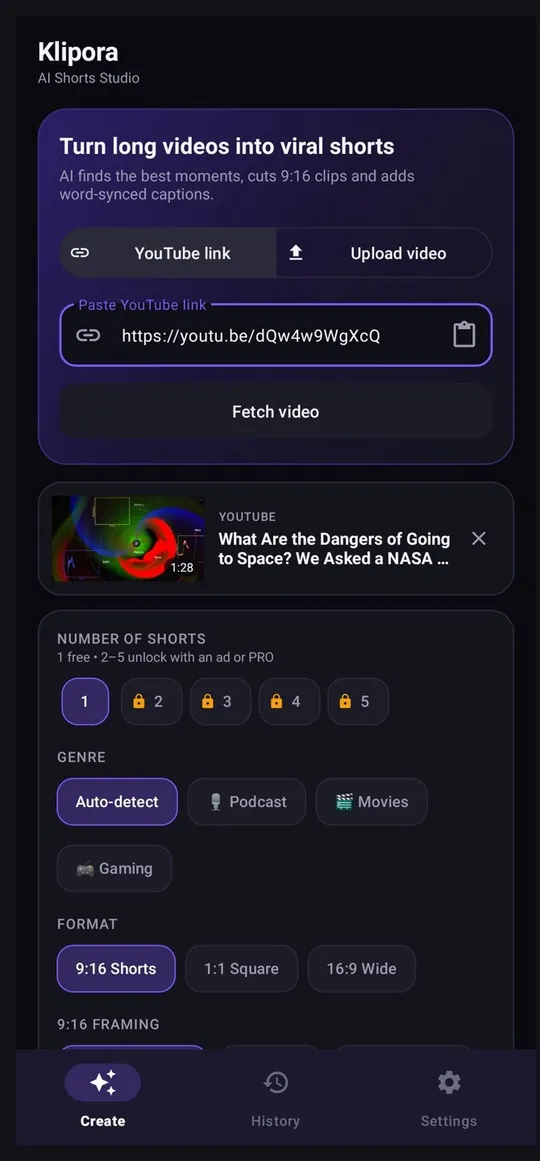
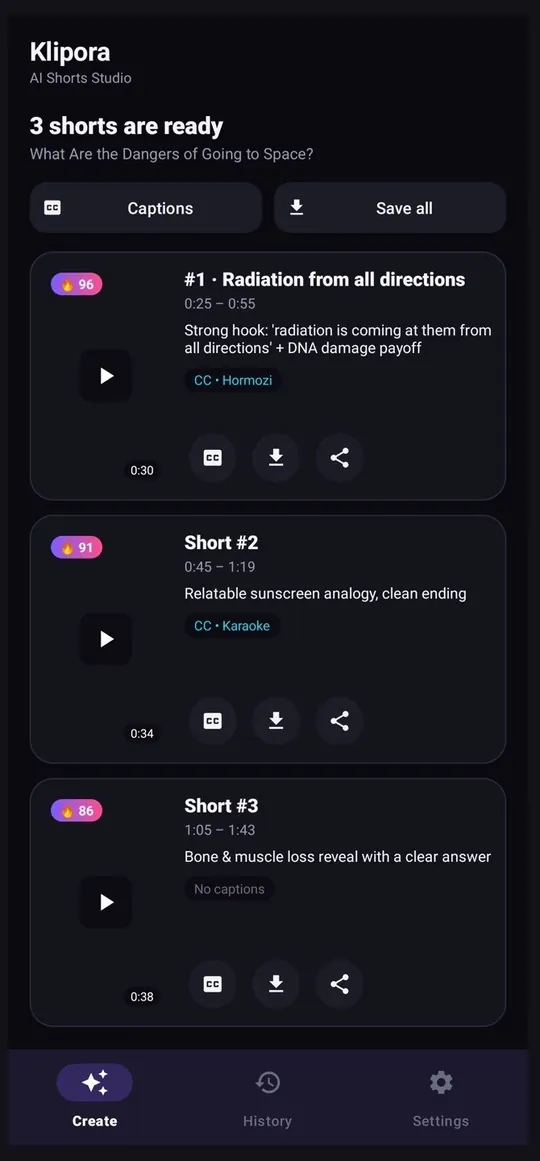
Klipora does the slow part of making Shorts for you: watching a long video, finding the moments people will actually watch, and turning them into clean vertical clips.
Gemini reads the whole talk and scores every moment, so the strongest clips come first. Make 1 to 5 shorts from one video, each starting on a clean sentence and ending at the end of a thought.
Podcasts are detected automatically. Each clip starts at the question and ends after the full answer, so it tells a complete story, mostly 45 seconds to 1:30.
Word-by-word captions that light up as each word is spoken, synced to the short's own audio. 10 styles, key-word highlight, ALL CAPS, and Caption Studio to restyle without making the short again.
In podcasts the camera follows whoever is talking, with smooth moves and no shaking. When two people talk back and forth, split screen turns on by itself, with each half showing only its own person.
9:16 for YouTube Shorts and Instagram Reels, plus 1:1 and 16:9. Blur, fill or fit framing, and export in 480p, 720p or 1080p HD, cut from a 1080p source.
Everything renders on your phone with the hardware encoder and keeps going in the background. Only the parts of the video each short needs are downloaded, which saves data.

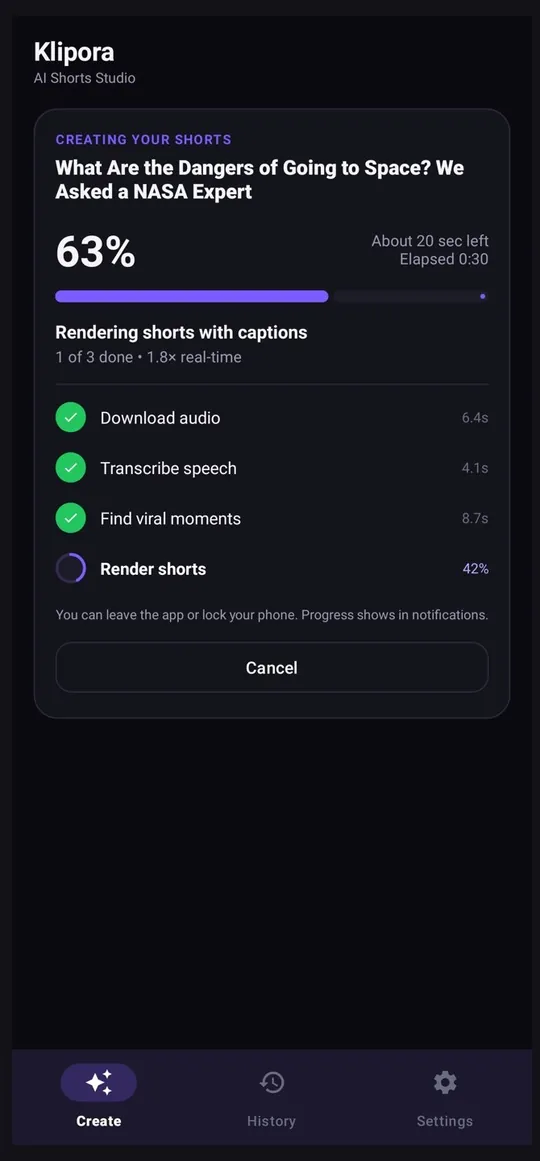

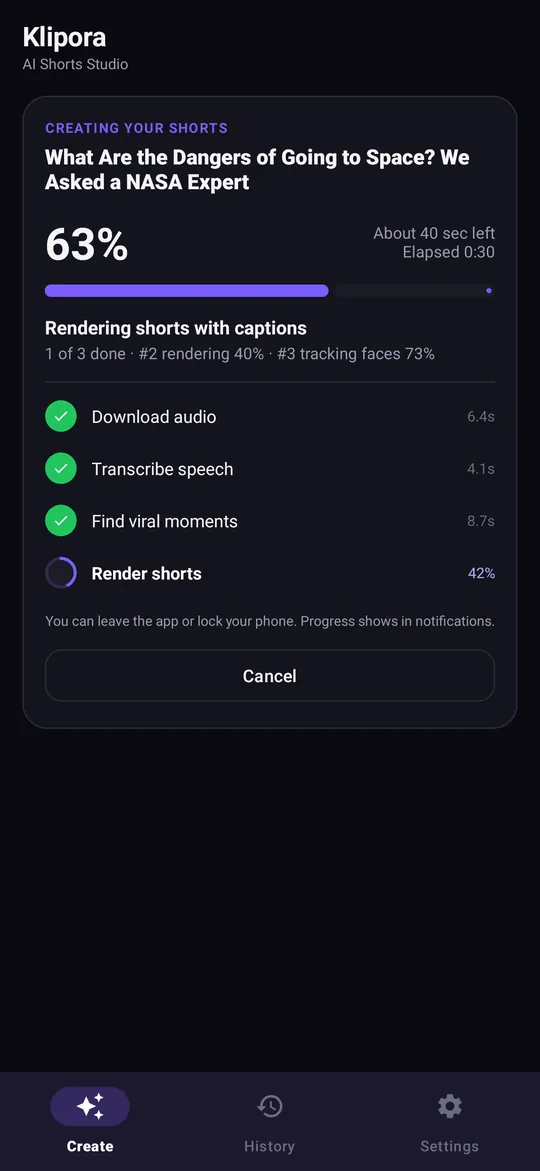
From a long YouTube video or podcast to finished vertical shorts in a few taps. Setup takes a couple of minutes, once.
Klipora uses your own free keys from Google AI Studio (Gemini) and Groq. Sign in, tap Create API key, and paste each key into the app.
Copy the link of any YouTube video or podcast, or tap Upload video to use an MP4, MOV or MKV file from your phone.
Pick the genre (Podcast, Movies, Gaming or Auto-detect), the format, export quality and how many shorts you want. Turn on captions and face tracking if you like.
Groq Whisper writes a timed transcript, Gemini finds the most viral moments, and your phone cuts, frames and captions each short. You can lock your phone while it works.
Watch your shorts, restyle the captions if you want, then save them to your gallery or share them straight to YouTube Shorts, Instagram Reels and other apps.
Lots of AI clip makers exist, and each has its own strengths. Here is plainly what Klipora offers, so you can decide if it fits how you work.
| Price | Free to use. Extra features unlock with short rewarded ads; no subscription, no credit card. |
|---|---|
| Where clips are made | On your Android phone. Cutting, captions and face tracking run on the device. |
| Caption languages | Hinglish, Hindi and English, word by word, synced to the audio. |
| Podcasts | Detected automatically; clips start at the question and end after the full answer. |
| Speaker framing | AI face tracking with automatic split screen for two-person talks. |
| Shorts per video | 1 to 5, each with a viral score. |
| Input | YouTube links and videos from your phone. |
| What you need | Android 7.0 or newer, internet, and two free API keys (Gemini and Groq). |
Looking for a free Opus Clip alternative for Android? Klipora is an independent app, not affiliated with Opus Clip or any other product, but it does the same kind of job on your phone: long video in, captioned viral shorts out.
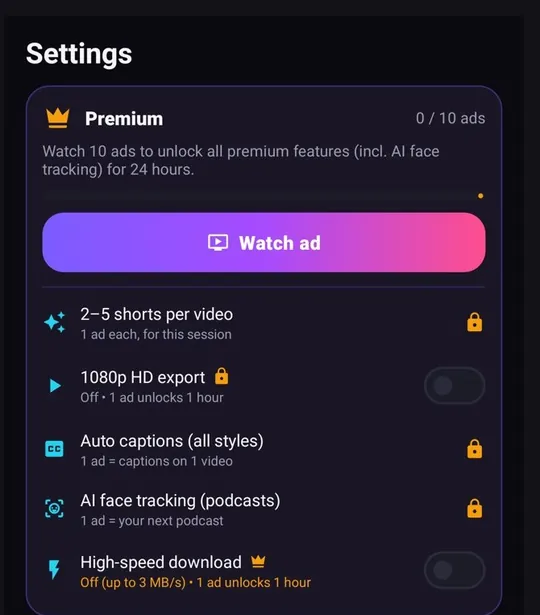
Start free. Watch a short ad only when you want a premium feature.
₹0
1 ad
10 ads
Klipora is not on the Play Store. Download the APK from the official GitHub release page and install it.
New releases install over the old one, so your keys, history and unlocks stay.
Yes. Klipora is free to download and use. The free version makes 1 short per video in 720p. Extra features such as 1080p export, captions, face tracking and 2–5 shorts per video unlock by watching a short rewarded ad, and 10 ads give you 24 hours of PRO with everything unlimited. There is no subscription and no credit card.
Klipora uses two AI services: Groq writes the timed transcript and Google Gemini picks the viral moments. Both offer free keys. You create them once, paste them into the app, and Klipora uses your own keys, so there is no Klipora server in between and no monthly fee.
For Gemini, open aistudio.google.com/apikey, sign in with Google and tap Create API key (the key starts with AIza or AQ.). For Groq, open console.groq.com/keys, sign in and tap Create API key (the key starts with gsk_). Paste both keys into Klipora's Settings.
Paste the YouTube link into Klipora, choose the format and how many shorts you want, turn on captions or face tracking if you like, and tap Generate shorts. The AI finds the best moments, cuts them into vertical 9:16 clips, adds captions and saves the shorts to your gallery.
Yes. Klipora detects podcasts automatically. Podcast clips start at the question and end after the full answer, so each short tells a complete story, mostly between 45 seconds and 1:30. AI face tracking keeps the person who is speaking in the frame and switches to split screen when two people talk back and forth.
Yes. Klipora writes word-by-word captions in Hinglish, Hindi or English, synced to each short's own audio. There are 10 caption styles, key-word highlighting and ALL CAPS, and Caption Studio lets you restyle captions later without making the short again.
Klipora is an independent app and is not affiliated with Opus Clip or any other clip maker. If you are looking for an AI clip maker that is free and runs on your Android phone, Klipora does that job: it picks viral moments from long videos, cuts vertical shorts, adds captions and tracks faces in podcasts, all on your phone.
Klipora is not on the Play Store, so you install the APK yourself from the official GitHub release page or Appteka. Your API keys are stored encrypted on your phone, the app uses HTTPS only, and it refuses to run if someone has changed or re-signed it.
If your phone is 64-bit (most phones from the last few years), download the smaller arm64 APK. If you are not sure, download the universal APK, which works on every phone.
No. Klipora is an Android app. It needs Android 7.0 or newer and works best on 64-bit phones.
Yes. Besides YouTube links, you can pick a video from your phone (MP4, MOV or MKV) and Klipora will turn it into shorts.
Yes. You can leave the app or lock your phone. Progress shows in the notification bar with an honest percent and time left for every step, and if the phone closes the app midway, tap Retry to continue the same video.
Video cutting, captions and face tracking happen on your phone, and the finished shorts are saved to your gallery (Movies/Klipora). Only the speech audio and transcript are sent to Groq and Google Gemini, using your own keys.
Free AI shorts maker for Android. Paste a link, get captioned 9:16 shorts.
Download Klipora free